Risk Management
1.Choose a Risk Assessment template
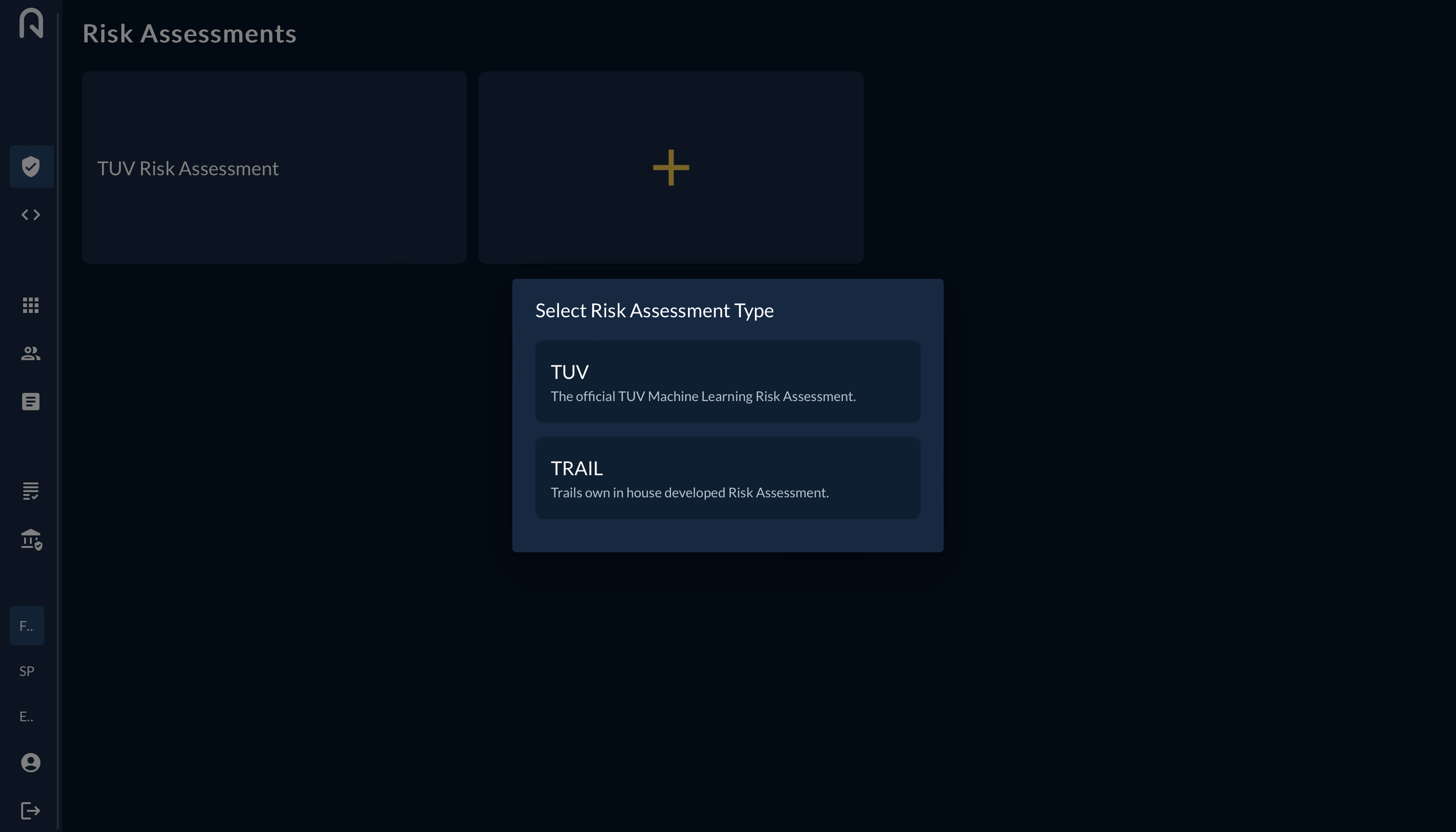
Should you not find a template that fits your needs, contact the trail team to request a new template.
2.Assess your risks
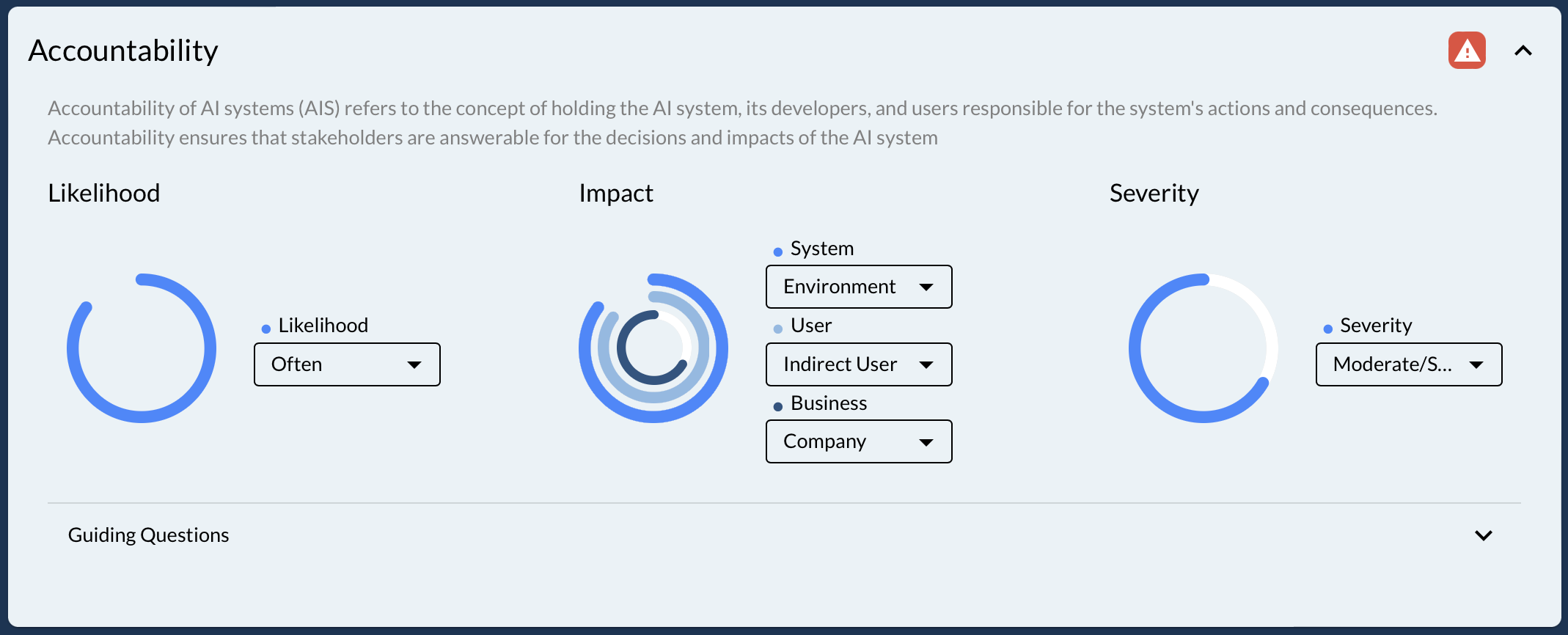
Don't forget to save before pressing the "Risk Treatment" button on the top right of the screen.
3.Define your risk treatment plan
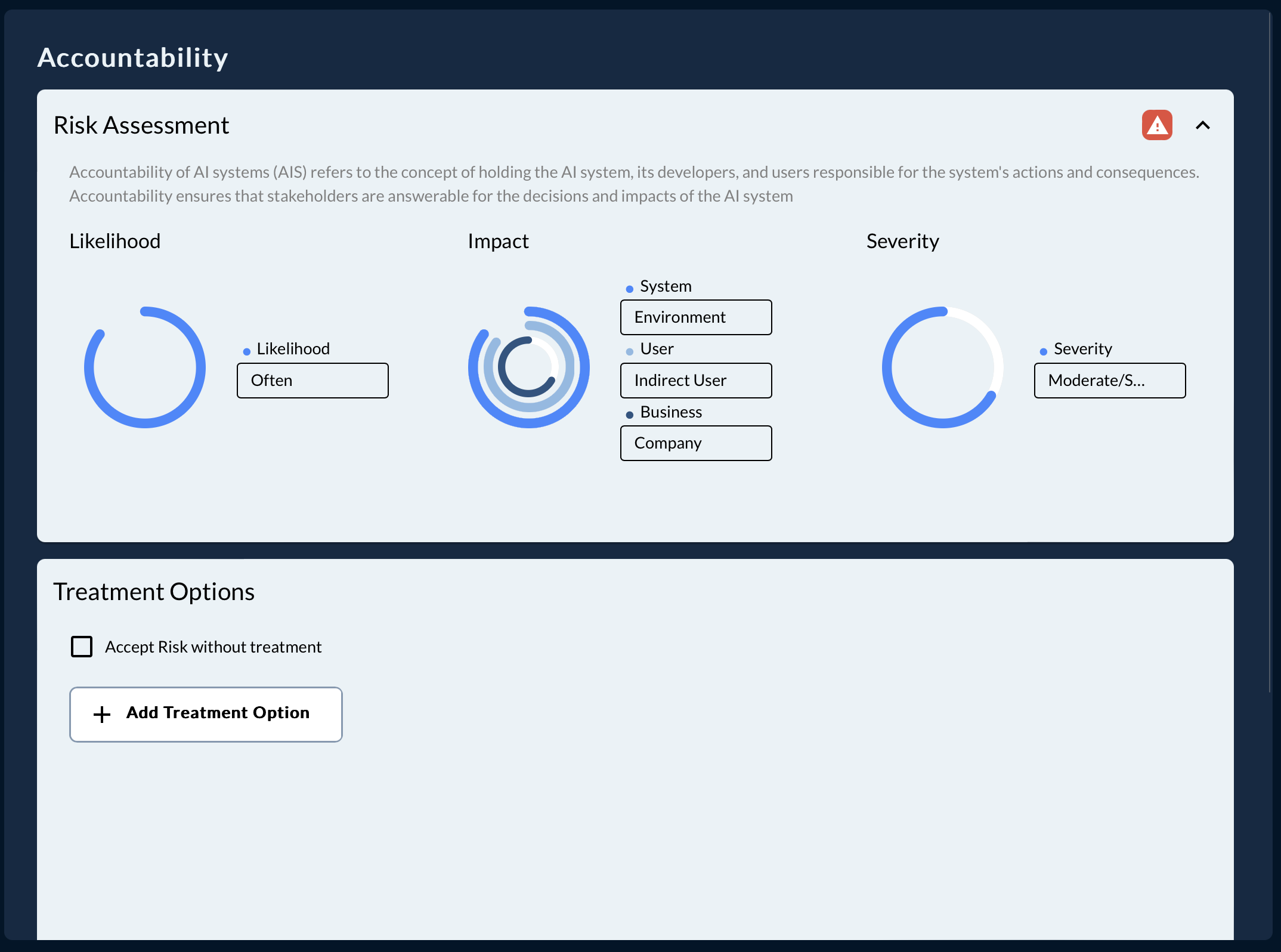
For every risk (minimum all high risks) you have to define a treatment plan. Either you actively accept the risk without treatment or you define a treatment plan. Press "Add" to select on of the previously defined treatments or create a new one.
Don't forget to also describe the residual risk in case there is any.
4.Request Approval
Depending on your responsibility in the organization you will see different buttons on the top right of the screen. If you are reponsible for the risk assessment you can request approval on the top right after saving. If you are in charge of approving you will see the approve button, once the risk assessment is saved and you have the according responsibility.